Scan or import
Digitize a physical print with the camera. The scanner detects the photo edges and crops the background before restoring.
AI old photo restoration
Turn a yellowed family portrait, a blurred childhood snapshot, or a scratched black-and-white print back into a clean, high-definition image — naturally.
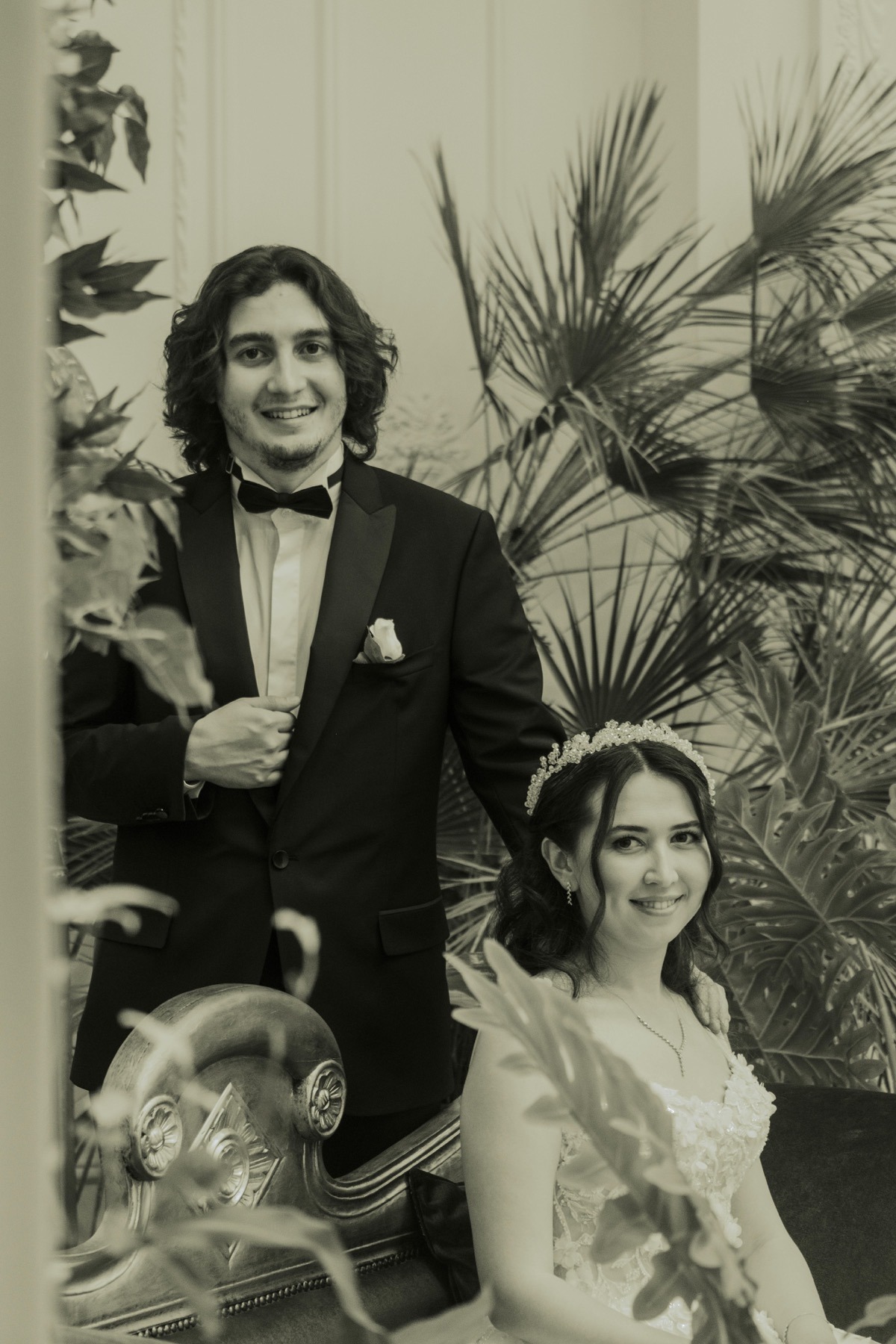
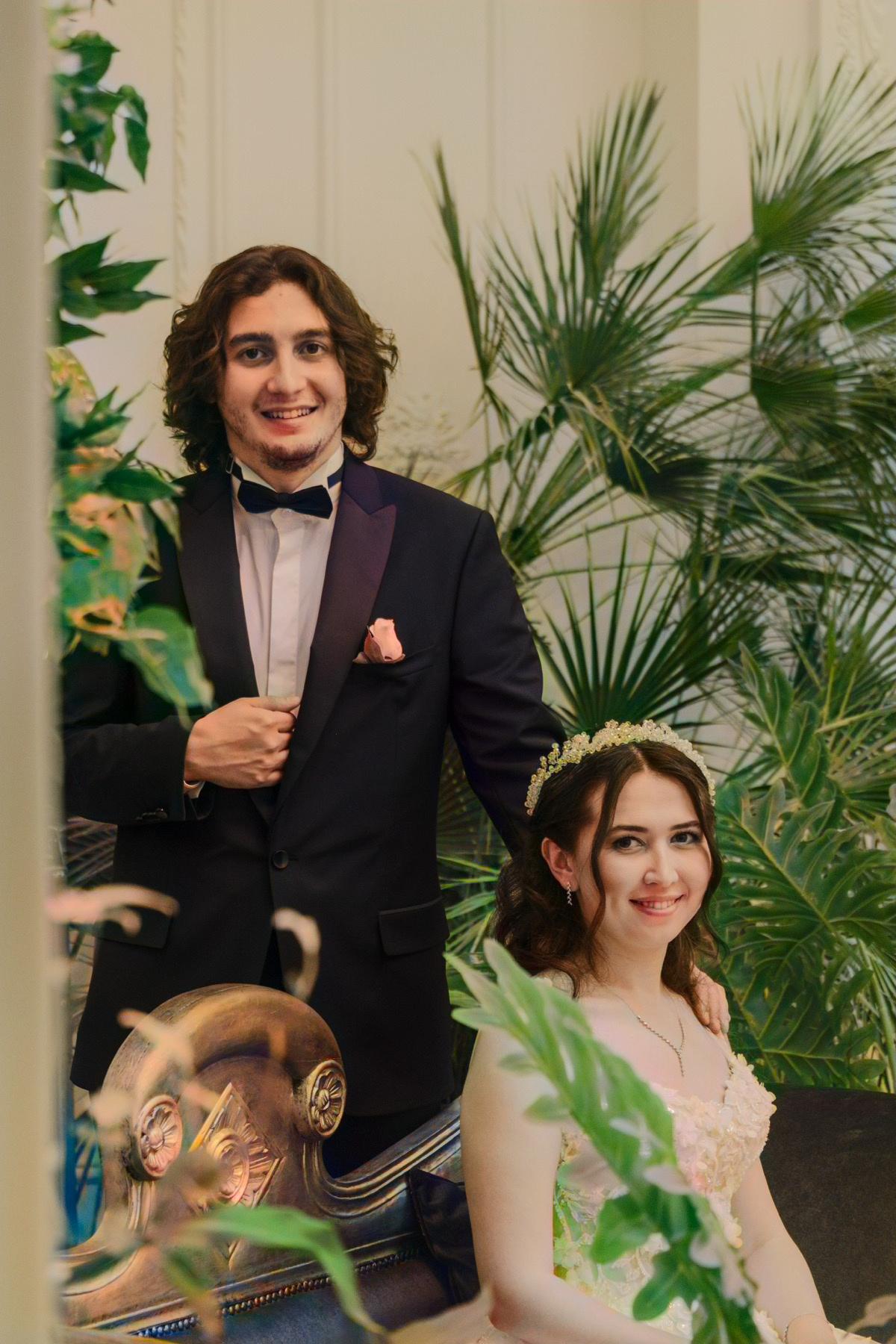 BEFORE
AFTER
BEFORE
AFTER
One tap, no editing skills. Scan or upload, let the AI process, and save the result.
Digitize a physical print with the camera. The scanner detects the photo edges and crops the background before restoring.
Deep learning analyzes the scene and applies natural, realistic color — colors that look right, not painted on.
Optimized for portraits. Bring blurred faces back into focus and recover facial features and expressions.
Detect and remove folds, scratches, tears, and stains so aging pictures look new again.
Lift low-resolution photos to crisp HD and clean up film grain and motion blur.
Put the original next to the restored version, then save it and find it again in your history.
Both photographs below were restored with Time Restorer. In each one, the left half is the original and the right half is the result.
BEFORE
AFTER
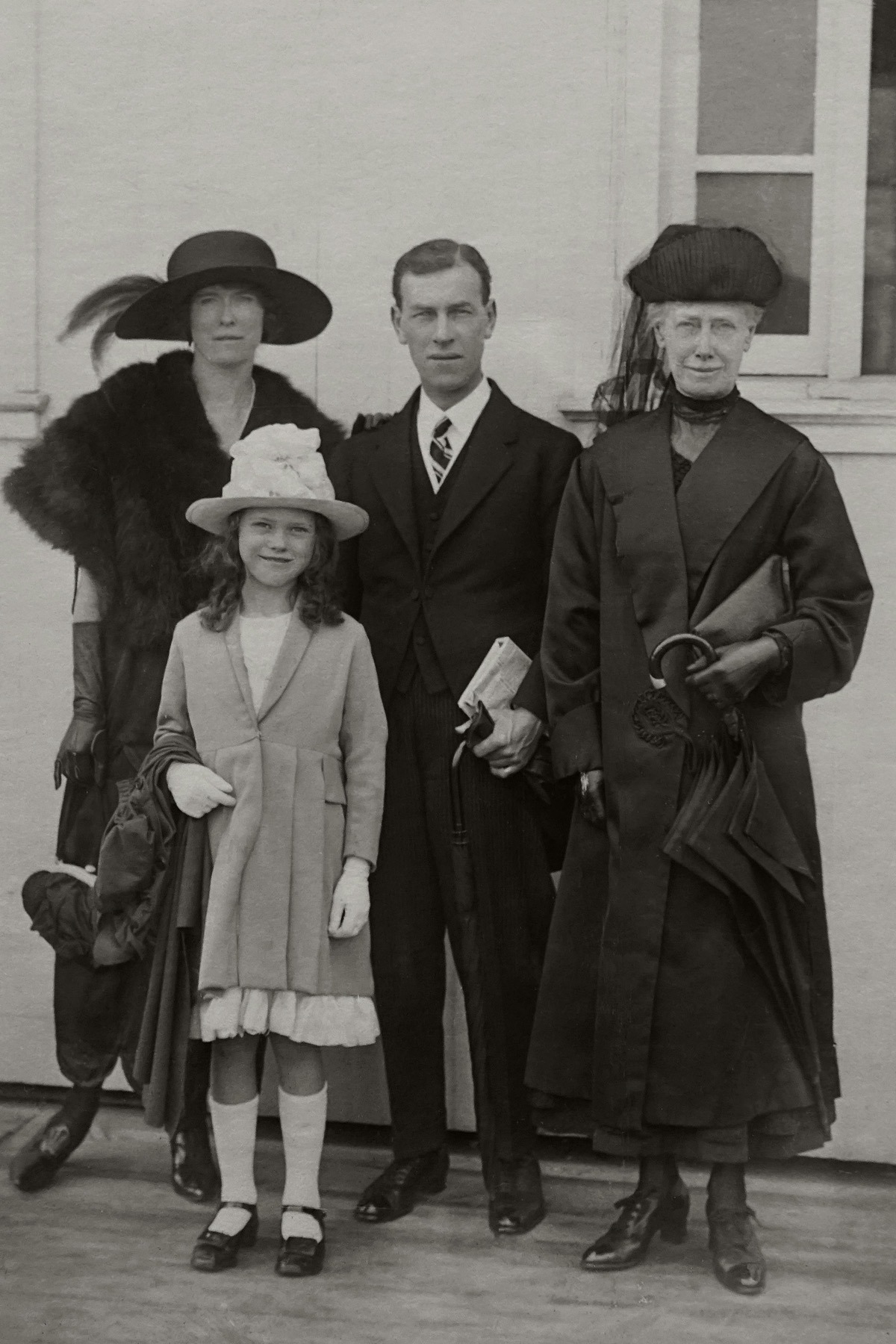
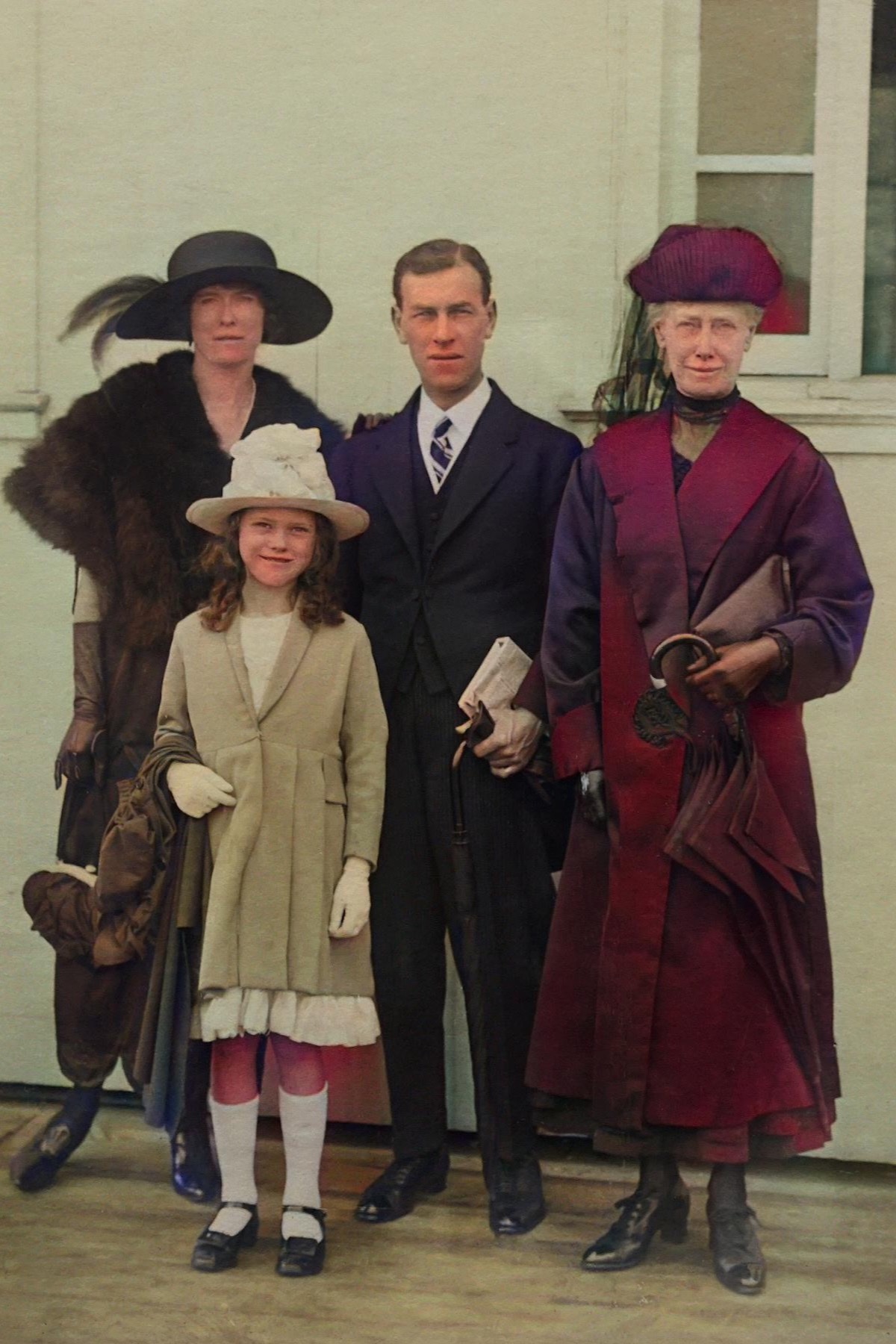 BEFORE
AFTER
BEFORE
AFTER
Complex restorations that used to take an expert finish in seconds.
Point the camera at a print, or import a photo you already have on your device.
Choose deep restore, classic restore, or colorize only, depending on what the photo needs.
Check the result against the original, then save it and share the memory with your people.
Yes. Restoration runs in the cloud, so a photo you submit is uploaded to our backend and sent to our AI processing providers to produce the result. The scanner's edge detection runs on your device, but the cropped image is uploaded when you start a restoration. Photos submitted for restoration are not shared with advertising providers.
AI providers can be busy or rate-limited, and very large or heavily damaged files may time out. Retry after a moment. A failed task normally returns the allowance automatically. If the issue continues, email us with the approximate time and your device type.
Colorization and face restoration are probabilistic, so results vary by photo. Sharp, well-lit, front-facing scans usually restore best. Try a different restoration mode, re-scan the print at a straighter angle, or crop tightly to the subject before submitting.
Place the print on a flat, evenly lit surface with no glare, fill most of the frame, and let the scanner auto-detect the edges. Avoid shadows across the photo and avoid photographing a photo through glass.
Yes. Time Restorer is available on the App Store for iPhone and iPad, and on Google Play for Android.
InkFlowTurn the tattoo you keep imagining into a direction you can show someone.
See InkFlow